
You stand at the precipice of a technological revolution, and at its core lies Artificial Intelligence. But beneath the dazzling surface of intelligent machines, self-driving cars, and personalized recommendations, a complex and vital ecosystem hums along: AI infrastructure. This isn’t just about the algorithms and models you might read about; it’s the foundational hardware, software, and networks that make AI possible. This guide is your key to unlocking a comprehensive understanding of this critical domain.
Imagine building a skyscraper. You wouldn’t start with the penthouse; you’d begin with a solid foundation. Similarly, AI infrastructure begins with the hardware capable of handling the immense computational demands of training and deploying AI models. This isn’t your average laptop or desktop PC. We’re talking about specialized processors designed for parallel processing, massive storage solutions, and robust networking.
Central Processing Units (CPUs): The Brains of the Operation
While not the primary drivers for deep learning, CPUs still play a crucial role. They manage the overall system, handle data preprocessing, and execute sequential tasks that are fundamental to any computational process. Think of them as the orchestra conductor, directing the various instruments (other processors) to play their part in harmony.
Role in AI Workflows
CPUs are essential for tasks like:
- Data Loading and Preprocessing: Before your data can be fed into a neural network, it needs to be cleaned, transformed, and formatted. CPUs excel at these sequential operations.
- Model Orchestration: They manage the execution flow of your AI pipelines, coordinating the efforts of other hardware components.
- Inference on Smaller Models: For less complex AI tasks or models that don’t require intense parallel computation, CPUs can often handle inference efficiently.
- System Management: They are responsible for operating system functions, memory management, and overall system stability.
Limitations for Deep Learning
However, CPUs are not ideal for the core computations of deep learning, which involve vast numbers of matrix multiplications and other parallelizable operations. Their architecture is optimized for serial processing, making them significantly slower than specialized hardware for these tasks.
Graphics Processing Units (GPUs): The AI Workhorses
This is where AI truly shines in terms of hardware. GPUs, originally designed for rendering graphics, have proven to be incredibly adept at parallel processing, making them the backbone of modern AI development. Their architecture, with thousands of small cores working in unison, is perfectly suited for the matrix operations at the heart of deep learning algorithms.
The Power of Parallelism
The key advantage of GPUs lies in their ability to perform thousands of calculations simultaneously. This is crucial for:
- Training Neural Networks: The iterative process of adjusting model weights based on vast datasets involves massive parallel computations. A GPU can complete these calculations orders of magnitude faster than a CPU.
- Deep Learning Inference: While training is the most demanding phase, running trained AI models (inference) also benefits significantly from GPU acceleration, especially for real-time applications.
- Scientific Simulations: Beyond AI, GPUs are widely used in scientific research for complex simulations that require high computational power.
Evolution of GPU Architecture for AI
Manufacturers like NVIDIA and AMD have continuously evolved their GPU architectures to better serve AI workloads. This includes features like:
- Tensor Cores: Specialized cores designed specifically for accelerating tensor operations, which are fundamental to deep learning.
- High Bandwidth Memory (HBM): Faster and more efficient memory solutions that reduce data transfer bottlenecks between the GPU and its memory.
- Increased CUDA Cores/Stream Processors: Simply put, more processing units to handle parallel tasks.
Tensor Processing Units (TPUs) and Other Accelerators: The Specialized Challengers
While GPUs dominate the AI hardware landscape, specialized accelerators are emerging to offer even greater efficiency and performance for specific AI tasks. TPUs, developed by Google, are a prime example. These chips are designed from the ground up for neural network computations, focusing on low-precision arithmetic, which is often sufficient for AI tasks and allows for faster processing with less power.
Tailored for Neural Networks
TPUs are designed with specific AI operations in mind:
- Matrix Multiplication Optimization: They are highly optimized for the matrix multiplications that form the core of neural network layers.
- Low-Precision Arithmetic: They excel at performing calculations with lower precision (e.g., 8-bit integers) which significantly speeds up computation and reduces memory usage without a substantial loss in accuracy for many AI models.
- High Throughput and Efficiency: TPUs aim to achieve higher throughput (more computations per second) and better power efficiency compared to GPUs for their specific workloads.
Other Emerging Accelerators
The field is constantly evolving, and you’ll encounter other specialized accelerators, often catering to specific niches:
- Field-Programmable Gate Arrays (FPGAs): These can be reconfigured after manufacturing, offering flexibility for custom AI acceleration.
- Application-Specific Integrated Circuits (ASICs): Custom-designed chips for specific AI tasks and applications, often offering the highest performance and efficiency for their intended purpose.
For a deeper understanding of AI infrastructure and its components, you may find the article on AI infrastructure explained particularly insightful. It covers various aspects such as cloud computing, data storage, and processing capabilities essential for developing robust AI systems. You can read more about it here: AI Infrastructure Explained.
The Backbone: AI Software and Frameworks
Hardware is only half the equation. Without the right software and frameworks, those powerful processors would remain idle. This layer provides the tools and abstractions that allow you, as a developer or researcher, to build, train, and deploy AI models.
Programming Languages for AI: The Architect’s Tools
Certain programming languages have become de facto standards in the AI world due to their extensive libraries, ease of use, and strong community support.
Python: The Undisputed Champion
Python’s rise to prominence in AI is undeniable. Its readability, vast ecosystem of libraries, and versatility make it the go-to language for most AI tasks.
Libraries and Their Significance
- NumPy: Provides efficient numerical computation capabilities, essential for working with large arrays and matrices.
- Pandas: Offers powerful data manipulation and analysis tools, crucial for preparing datasets.
- Scikit-learn: A comprehensive library for traditional machine learning algorithms, including classification, regression, and clustering.
Other Notable Languages
While Python reigns supreme, other languages play important roles:
- R: Popular in statistical computing and data analysis, with a strong ecosystem for machine learning.
- Java and C++: Often used for performance-critical applications, backend systems, and deploying AI models in production environments where efficiency is paramount.
AI Frameworks and Libraries: Building Blocks for Intelligence
These frameworks abstract away much of the low-level complexity, allowing you to focus on model architecture and experimentation. They provide pre-built components, automatic differentiation, and efficient computation on various hardware platforms.
TensorFlow: Google’s Open-Source Powerhouse
TensorFlow, an open-source library developed by Google, has been a cornerstone of AI development for years. It offers a flexible architecture for building and training complex neural networks.
Key Features and Ecosystem
- Computational Graphs: TensorFlow uses a graph-based approach to define computations, allowing for efficient execution and optimization.
- Keras API: The high-level Keras API within TensorFlow provides a user-friendly interface for building and training models.
- TensorBoard: A powerful visualization tool for understanding and debugging your models.
- TensorFlow Lite and TensorFlow.js: Frameworks for deploying models on mobile devices and in web browsers respectively.
PyTorch: Meta’s Dynamic and Flexible Alternative
PyTorch, developed by Meta AI, has gained immense popularity due to its dynamic computation graph, which offers greater flexibility and ease of debugging for researchers.
Strengths and Community Adoption
- Dynamic Computation Graphs: This allows for more intuitive model development and easier debugging of complex architectures.
- Pythonic Interface: PyTorch feels very natural for Python developers, integrating seamlessly with the Python ecosystem.
- Strong Research Community: It has become a favorite among researchers for its flexibility and rapid prototyping capabilities.
Other Essential Frameworks
Your journey might also involve:
- Scikit-learn: You’ve seen it under Python, but it’s a fundamental framework for traditional ML.
- Keras: While integrated with TensorFlow, Keras can also be used with other backends and is a crucial abstraction layer.
- MXNet, Caffe, Chainer: Other frameworks that have contributed significantly to the AI landscape, though perhaps less dominant than TensorFlow and PyTorch today.
The Connective Tissue: Networking and Storage
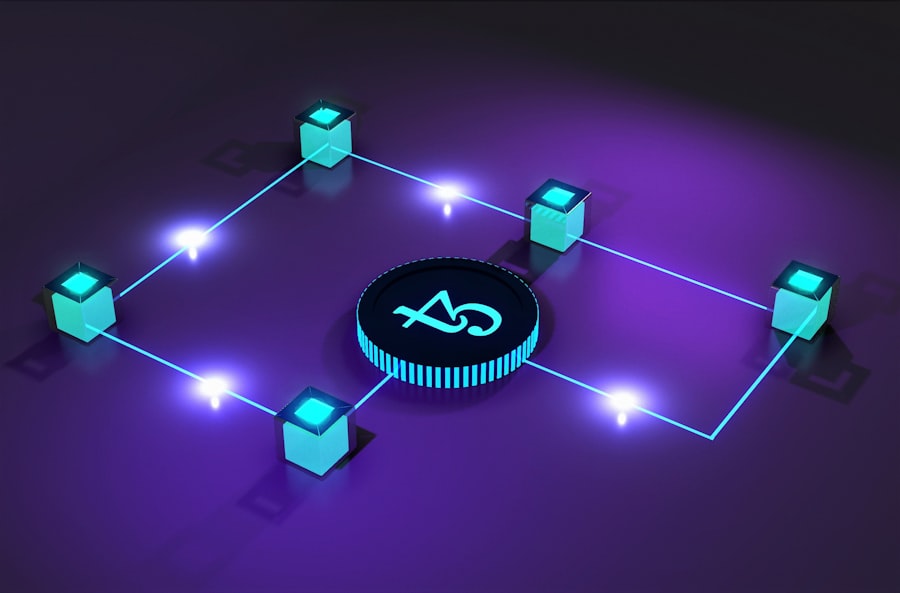
Even the most powerful processors and sophisticated software are useless if they can’t communicate efficiently or store the vast amounts of data required for AI. Networking and storage solutions form the crucial connective tissue of your AI infrastructure.
High-Performance Networking: The Data Superhighway
AI tasks, especially distributed training, are incredibly data-intensive. You need a network that can move this data at lightning speed between various components.
Bandwidth and Latency: Critical Metrics
- Bandwidth: This refers to the amount of data that can be transferred per unit of time. High bandwidth is essential for quickly moving large datasets to processors.
- Latency: This is the time delay between sending a request and receiving a response. Low latency is crucial for real-time AI applications and efficient distributed training.
Technologies Enabling High-Speed Communication
- Ethernet (10GbE, 40GbE, 100GbE and beyond): Standardized networking technology that continuously increases in speed.
- InfiniBand: A specialized interconnect designed for high-performance computing and AI clusters, offering extremely low latency and high bandwidth.
- RDMA (Remote Direct Memory Access): A technology that allows network adapters to transfer data directly from the memory of one computer to the memory of another without involving the operating system, significantly reducing latency.
Scalable Storage Solutions: Housing the Data Deluge
AI models thrive on data, and this data needs to be stored, accessed, and managed efficiently. This requires specialized storage solutions that go beyond typical consumer-grade drives.
Types of Storage for AI
- Network-Attached Storage (NAS): Centralized storage accessible over a network, suitable for shared datasets.
- Storage Area Networks (SANs): High-performance storage systems that present storage devices to servers as block devices, often used in enterprise environments.
- Object Storage (e.g., Amazon S3, MinIO): A highly scalable and cost-effective way to store large amounts of unstructured data, ideal for datasets, model checkpoints, and logs.
- High-Performance File Systems (e.g., Ceph, Lustre): Parallel file systems designed to provide high throughput and scalability for large datasets, often used in HPC and AI clusters.
Data Management and Versioning
Beyond just storing data, you need robust data management practices:
- Data Versioning: Crucial for reproducibility. You need to know exactly which version of the data was used to train a specific model.
- Data Cataloging: Organizing and indexing your data so it can be easily discovered and accessed.
- Data Pipelines: Automating the process of data ingesting, cleaning, and transforming.
Orchestration and Deployment: Bringing AI to Life

You’ve built your models, you have your hardware and software. Now, how do you manage the entire process, from training to putting your AI into production? This is where orchestration and deployment tools come into play.
Containerization: Packaging Your AI Applications
Containerization technologies like Docker have revolutionized how applications are packaged and deployed, and AI is no exception.
The Docker Advantage
- Isolation: Containers provide isolated environments for your AI applications, ensuring that dependencies don’t conflict.
- Portability: Containers can run consistently across different environments, from your local machine to cloud servers.
- Reproducibility: This makes it easier to reproduce experiments and deploy models reliably.
- Resource Management: Containers allow for fine-grained control over resource allocation to your AI workloads.
Dockerfiles and Images
You define the contents of your container using a Dockerfile. This text file contains instructions for building a Docker image, which is a lightweight, standalone, executable package that includes everything needed to run an application: code, runtime, system tools, system libraries, and settings.
Orchestration Platforms: Managing Distributed AI Workloads
For larger, more complex AI deployments, especially those involving distributed training or microservices, orchestration platforms are essential.
Kubernetes: The Reigning Champion
Kubernetes (K8s) has become the de facto standard for container orchestration. It automates the deployment, scaling, and management of containerized applications.
Key Kubernetes Concepts for AI
- Pods: The smallest deployable units in Kubernetes, often containing your AI application and its dependencies.
- Deployments: Manage the lifecycle of your Pods, ensuring that a specified number of replicas are always running.
- Services: Provide a stable IP address and DNS name for accessing your AI applications.
- StatefulSets: Used for stateful applications, which are common in AI for managing distributed training jobs.
- Resource Requests and Limits: Crucial for managing the computational resources (CPU, GPU, memory) allocated to your AI workloads, preventing runaway processes from impacting other applications.
- Custom Resource Definitions (CRDs) and Operators: These allow you to extend Kubernetes’ functionality to manage complex AI-specific resources, such as distributed training jobs or model serving instances.
Other Orchestration Tools
While Kubernetes is dominant, you might encounter:
- Docker Swarm: A simpler orchestration tool built into Docker.
- Apache Mesos: A distributed systems kernel that can manage resources and schedule tasks.
Model Serving and Inference Optimization: Delivering AI to Users
Once your AI model is trained, you need to make it accessible for predictions. This is known as model serving, and it involves optimizing inference speed and efficiency.
Dedicated Model Serving Frameworks
- TensorFlow Serving: Designed to serve TensorFlow models in production.
- TorchServe: Meta’s model serving library for PyTorch models.
- NVIDIA Triton Inference Server: A high-performance inference serving software that supports multiple frameworks and hardware.
Inference Optimization Techniques
- Quantization: Reducing the precision of model weights and activations (e.g., from 32-bit floating-point to 8-bit integers) to speed up computation and reduce memory footprint.
- Model Pruning: Removing redundant connections or neurons from a neural network without significant loss of accuracy.
- Knowledge Distillation: Training a smaller, faster “student” model to mimic the behavior of a larger, more complex “teacher” model.
- Hardware Acceleration: Leveraging specialized hardware like GPUs and TPUs for faster inference.
- Batching: Processing multiple inference requests together to improve throughput.
- Caching: Storing frequently requested predictions to reduce computation time.
In exploring the complexities of AI infrastructure, you may find it beneficial to read a related article that delves deeper into the topic. This resource provides insights into the various components that make up effective AI systems and how they can be optimized for better performance. For a comprehensive understanding, check out this informative piece on AI infrastructure explained at MyGeoQuest.
Cloud vs. On-Premises: Where to Build Your AI Infrastructure
| AI Infrastructure | Explanation |
|---|---|
| Hardware | Includes GPUs, TPUs, and other specialized chips for AI processing |
| Software | Consists of AI frameworks, libraries, and tools for developing and deploying AI models |
| Storage | Refers to the data storage systems for managing large volumes of training and inference data |
| Networking | Encompasses high-speed interconnects and communication protocols for efficient data transfer |
| Cloud Services | Provides on-demand access to AI infrastructure resources and scalable computing power |
The decision of where to house your AI infrastructure is a significant one. You have two primary options: cloud-based solutions and on-premises deployments, each with its own set of advantages and disadvantages.
Cloud-Based AI Infrastructure: The Scalable and Flexible Option
Cloud providers like Amazon Web Services (AWS), Microsoft Azure, and Google Cloud Platform (GCP) offer a vast array of AI-specific services and infrastructure.
Advantages of the Cloud
- Scalability and Elasticity: Easily scale your resources up or down to meet demand, paying only for what you use. This is invaluable for the fluctuating needs of AI development and deployment.
- Managed Services: Cloud providers handle much of the underlying infrastructure management, freeing you to focus on your AI models.
- Access to Cutting-Edge Hardware: You can readily access the latest GPUs, TPUs, and other specialized hardware without significant upfront investment.
- Reduced Upfront Costs: Avoid the large capital expenditure associated with purchasing and maintaining physical hardware.
- Global Reach: Deploy your AI applications closer to your users around the world.
Disadvantages of the Cloud
- Cost Management: While flexible, cloud costs can escalate quickly if not managed diligently.
- Data Security and Compliance: You need to ensure that your data and AI models are handled securely and in compliance with relevant regulations.
- Vendor Lock-in: Relying heavily on a single cloud provider can make it challenging to migrate to another in the future.
- Network Dependency: Your access and performance are tied to your internet connection.
On-Premises AI Infrastructure: The Control and Customization Option
Building your AI infrastructure in-house gives you complete control over your hardware, software, and data.
Advantages of On-Premises
- Full Control and Customization: You can tailor every aspect of your infrastructure to your specific needs.
- Enhanced Security and Data Sovereignty: Keep your sensitive data within your own secure environment, which can be crucial for certain industries.
- Predictable Costs (Long-Term): After the initial investment, operational costs can be more predictable.
- No Vendor Lock-in: You are not tied to a specific cloud provider.
Disadvantages of On-Premises
- High Upfront Investment: Significant capital expenditure is required for hardware, data center space, and skilled personnel.
- Scalability Challenges: Scaling up on-premises infrastructure can be a slow and costly process.
- Maintenance and Management Overhead: You are responsible for all hardware maintenance, software updates, and security.
- Limited Access to Latest Hardware: It can take time and significant investment to acquire and integrate the newest AI hardware.
Your journey into AI infrastructure is an ongoing exploration. By understanding these foundational components – the hardware, the software, the networking, the storage, and the deployment strategies – you are well-equipped to navigate this complex yet incredibly exciting field and harness the full potential of artificial intelligence.

The Taiwan Strait: The Most Dangerous Place in the Global Economy
FAQs
What is AI infrastructure?
AI infrastructure refers to the underlying technology and resources required to support artificial intelligence applications and processes. This includes hardware, such as servers and GPUs, as well as software, such as machine learning frameworks and data storage systems.
What are the components of AI infrastructure?
The components of AI infrastructure typically include high-performance computing hardware, such as GPUs and TPUs, as well as storage systems for large volumes of data. Additionally, AI infrastructure includes software components, such as machine learning frameworks, data processing tools, and model training and deployment platforms.
Why is AI infrastructure important?
AI infrastructure is important because it provides the necessary computational power and resources for training and running AI models. Without a robust infrastructure, AI applications may suffer from performance issues and scalability limitations, hindering their effectiveness and potential impact.
What are the challenges of AI infrastructure?
Challenges of AI infrastructure include the high computational and storage requirements of AI workloads, the complexity of managing and scaling infrastructure resources, and the need for specialized skills to design and maintain AI infrastructure.
How is AI infrastructure evolving?
AI infrastructure is evolving to meet the increasing demands of AI applications, with advancements in hardware technology, such as more powerful GPUs and specialized AI chips, as well as improvements in software tools for managing and optimizing AI workloads. Additionally, cloud-based AI infrastructure services are becoming more prevalent, offering scalable and flexible resources for AI development and deployment.